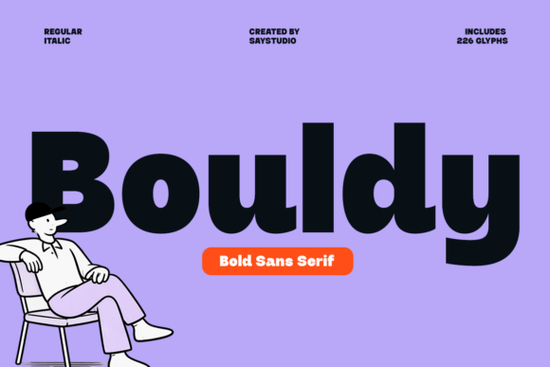
If you're looking for a bold sans serif font that feels confident without being cold, Bouldy Font is worth your attention. It’s not just thick it’s thoughtfully rounded, with smooth curves and generous letterforms that keep things legible at small sizes and impactful at large ones. Whether you’re designing a logo for a local coffee shop, prepping social media graphics for a handmade goods store, or laying out a poster for a community event, Bouldy strikes a rare balance: strong enough to grab attention, friendly enough to invite engagement.
When does Bouldy work best?
Bouldy shines in contexts where clarity and personality matter equally. Think product packaging labels that need to stand out on a crowded shelf, Instagram story text that must be readable in under two seconds, or t-shirt designs where the font itself becomes part of the message. Its rounded terminals and open counters help it hold up well in both digital and print formats even on lower-resolution screens or textured fabrics.
It’s especially useful for small businesses and solo creators who want professional-looking branding without hiring a designer every time. You don’t need advanced typography knowledge to use it well: pair it with a clean, neutral sans serif (like Minimalist Font) for body text, or let it go solo as a headline or logo lockup.
How does it compare to other friendly bold fonts?
Not all bold sans serifs feel the same. Some lean too geometric and stiff; others get overly playful and lose readability. Bouldy avoids both extremes. Unlike Salty Beach Font, which has subtle coastal texture and relaxed spacing, Bouldy keeps its structure tight and modern making it more versatile for corporate-adjacent uses like wellness brands or tech-adjacent startups. Compared to Norfleet Sketch, which mimics hand-drawn energy, Bouldy offers consistency and polish ideal when you need repeatable results across multiple platforms.
Its rounded shapes give it warmth, but its even stroke weight and balanced proportions mean it won’t look out of place next to sharper, more technical typefaces in mixed layouts. That makes it a solid choice for designers who juggle branding, web assets, and physical merch all from one cohesive visual language.
What kinds of projects actually use it?
- Print-on-demand products: T-shirts, mugs, and tote bags benefit from Bouldy’s high contrast and friendly boldness especially for slogans or short phrases.
- Social media visuals: Works well in Canva or Adobe Express templates where quick recognition matters more than fine typographic detail.
- Small business signage: Clean enough for vinyl decals or storefront banners, yet distinctive enough to support brand recall.
- Digital ads and email headers: Loads quickly as a web font (when properly optimized), and its generous x-height improves scanability on mobile.
What should you know before downloading?
Bouldy includes standard Latin characters, numerals, and basic punctuation. It supports OpenType features like ligatures and stylistic alternates handy if you’re using design tools like Illustrator or Affinity Designer. It’s licensed for both personal and commercial use, including resale on POD platforms (just double-check the license page for any usage limits around unlimited impressions or merchandise caps).
Like most Creative Fabrica fonts, it comes as OTF and TTF files so it works in free tools like Google Fonts-compatible editors (via upload) and paid apps like Photoshop or Figma. You’ll also get a handy PDF guide showing recommended pairings and sizing tips.
For reference, you can see how Bouldy Font is used by real customers on Creative Fabrica scroll through project previews to spot how others apply it to stickers, planners, or SVG cut files.
Try it alongside these practical pairings
Want to test Bouldy without overthinking it? Start here:
- Pair it with Minimalist Font for clean, modern contrast great for flyers or website headers + body text combos.
- Use it alone in uppercase for logos or monograms, then add a thin line or icon to balance its weight.
- Try it at 36–48pt for social posts, and drop down to 24pt for printed product tags its curves stay clear even at smaller sizes.
- Avoid pairing it with other heavy rounded fonts (like Salty Beach Font) unless you’re intentionally going for layered texture otherwise, they’ll compete instead of complement.
Next step: Download Bouldy, open your design tool, and set a simple phrase like “Open Daily” or “Handmade With Care” in all caps at 40pt. Adjust letter spacing slightly (+20–40) to let the curves breathe. Then try swapping in Bouldy Font as your default headline style for one week. Notice how often it solves a layout problem you’d normally spend extra time tweaking.
Get Started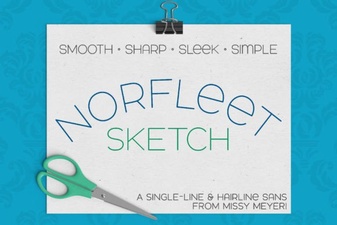 Designing with the Norfleet Sketch One-Line Font
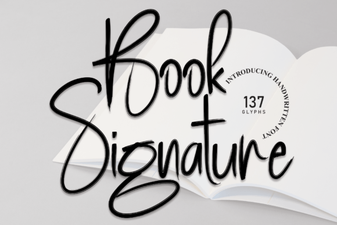 Craft Your Own Signature Font for Books
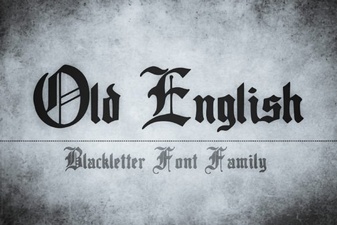 Old English Font Inspiration & Modern Uses
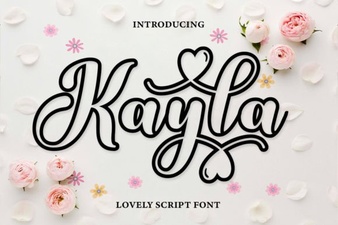 Kayla Outline Font Design Ideas & Projects
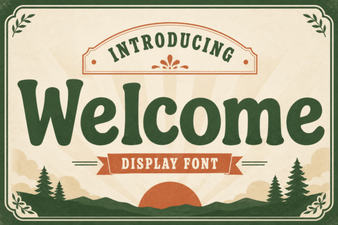 Discover the Perfect Welcome Font for Your Project
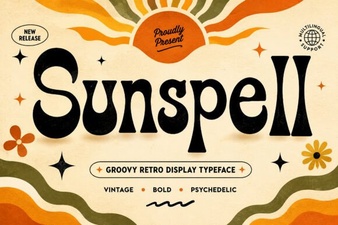 Sunspell Font: Crafting Digital Atmospheres