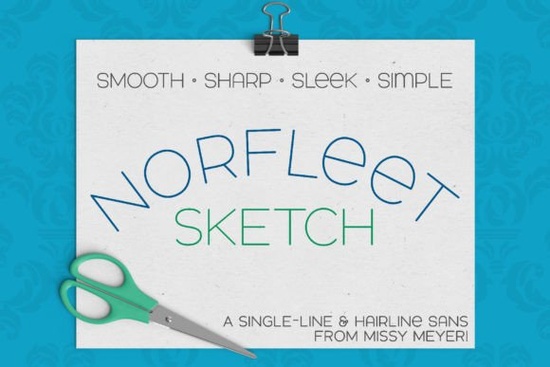
If you're looking for a clean, modern single-line font that works well with sketch pens, foil quills, or engraving tools, the Norfleet Sketch (single Line) Font is worth your attention. It’s not just another sans-serif it was built from scratch as a true single-stroke typeface, designed specifically for devices that draw rather than cut or print. Whether you’re making custom signs, personalizing tumblers with an infusible ink pen, or scoring delicate patterns on a Glowforge, this font handles those tasks with minimal fuss and maximum clarity.
What makes Norfleet Sketch different from regular fonts?
Most fonts you install are outline-based: they have filled shapes with inside and outside edges. That’s great for printing or cutting, but not ideal for drawing tools that trace one continuous path. Norfleet Sketch solves that by offering two carefully crafted versions:
- Norfleet Sketch One: A true single-line font literally one unbroken stroke from start to finish. Ideal for advanced users in Rhinoceros or vector editors where you can manually manage open paths. If you're comfortable removing auto-closed connections in Illustrator or Inkscape, this version gives you full control.
- Norfleet Sketch Two: A hairline outline font so thin the strokes appear as a single line in most design software. It’s plug-and-play for Silhouette Studio, Cricut Design Space, CorelDRAW, Affinity Designer, and Inkscape. No editing needed. Just type and send to your machine.
Neither version works in Word, Google Docs, or standard printers and that’s intentional. These aren’t fonts for documents. They’re tools for makers who need precision with pens, styli, or scoring lasers.
Which projects suit Norfleet Sketch best?
This font shines where simplicity and legibility matter: minimalist wall art, engraved wooden coasters, hand-drawn-style logos, or foil-pressed stationery. Its wide stance and smooth curves give it presence without clutter especially helpful when working at small sizes or on curved surfaces like mugs or phone cases.
Because it’s double-uppercase by default (with thoughtful lowercase variants like a round-topped A and a lowercase-style e), it pairs easily with other sans-serifs. Try it beside Bouldy for contrast in weight, or layer it under Salty Beach for a relaxed yet structured look. For ultra-minimal branding, it holds its own next to cleaner geometric options, but stands out thanks to its hand-drawn warmth.
Will it work with my machine or software?
Yes with caveats. Norfleet Sketch Two runs smoothly in nearly all major crafting platforms. Norfleet Sketch One requires minor cleanup in some apps, but the included PDF guide walks you through it step-by-step for Illustrator, Inkscape, Silhouette, and more. Just keep in mind that Brother Canvas Workspace has known compatibility issues with single-line fonts, so we recommend avoiding it for this style.
For reference, you can also explore how other designers use similar styles like the Norfleet Sketch font family across real projects on Creative Fabrica.
How do I choose between “One” and “Two”?
Ask yourself two questions:
- Do you regularly edit vector paths like opening and closing anchors in Illustrator or adjusting nodes in Inkscape? → Go with Norfleet Sketch One.
- Do you prefer typing directly in Silhouette Studio or Cricut Design Space and sending straight to your machine? → Choose Norfleet Sketch Two.
The download includes both, plus that handy PDF guide. You don’t need to guess you can test each in your usual workflow and see which feels more natural.
One final note: if you’re new to single-line fonts, start with Norfleet Sketch Two. It’s forgiving, widely supported, and still delivers that crisp, elegant line quality the font is known for. Once you get comfortable, try Norfleet Sketch One for tighter control over spacing and connection points.
Before installing: Make sure your design software is up to date, and always convert text to outlines before sending to hardware especially with sketch pens or scoring tools. And if you're using it for print-on-demand mockups, pair it with subtle shadows or light gradients to mimic real-world pen texture.
Quick checklist before your first project:
- ✅ Confirm your machine supports single-line or hairline fonts (check manufacturer docs)
- ✅ Install the correct version (One or Two) based on your software
- ✅ Test at actual size some pens behave differently at 0.5" vs. 2"
- ✅ Review the included PDF guide it answers common setup questions for 7+ programs
- ✅ Try pairing it with other single-line fonts for layered effects
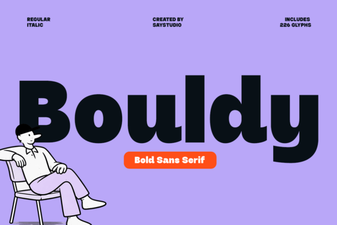 Bouldy Font: Designs That Stand Out
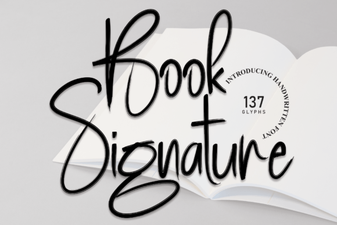 Craft Your Own Signature Font for Books
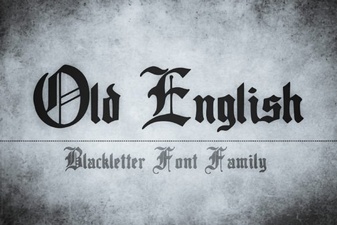 Old English Font Inspiration & Modern Uses
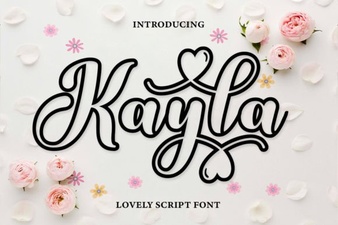 Kayla Outline Font Design Ideas & Projects
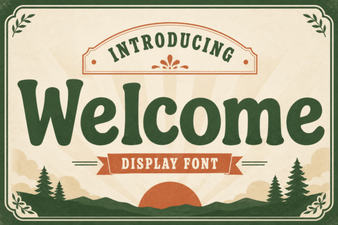 Discover the Perfect Welcome Font for Your Project
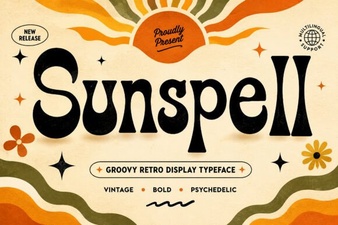 Sunspell Font: Crafting Digital Atmospheres